
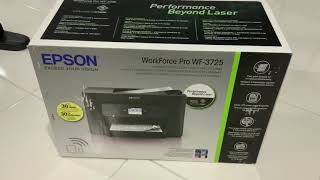
Epson Workforce Pro WF-3720/WF-3725/WF-3730
45 reviews


The printer continues to display a low ink level warning even after a brand-new genuine cartridge has been installed. The issue persists despite replacing the cartridge with a new Epson cartridge. The printer has had very little use and would be lucky to have printed more than 30 pages in total during its life. Unfortunately, despite following… Read more
the recommended troubleshooting steps, I have not received a satisfactory resolution or support from Epson.

Glitchy, needs head cleaning all the time all round rubbish – I'll never buy another Epson. This one uses expensive cartridges and I get very little in return. After printing perhaps 20 pages of strictly black and white printing it tells me that it's out of ink and won't print any more. This printer has used a lot of cartridges in the time I've had it (cartridges, as opposed to ink) and don't very little… Read more
printing. It would be far far far cheaper to just go to the library in town and do my printing than persist this with this rubbish.

$80 for ink,really ? – Print heads dry up if not used daily,but you can only use Epson ink due to their sleazy online update,one round of ink(one of each of three colors and XL black) will cost you $80 price set by Epson's crooked CEO's.It would be cheaper to buy another brand of printer then pay outrageous Epson ink price.Shop for another brand. Show details
Reviews with attachments

Responsive Wireless Multi-function Printer – This is a bit cheaper than the other stores when I compared it to other stores. The amount of paper that can be fill inside is plenty enough for regular use. The Ink set included is also enough for start up use. The instructions for set up and screen interface is User friendly in conjunction with the product manual. We usually print directly… Read more
using the wi-fi direct feature by pairing the Iphone & Ipad (after downloading & installing the Epson app).
The print quality is good and connecting the printer to my Iphone 7 Plus is quick using wireless technology but I’m not so happy with the maximum number of device that can be paired to this multi-function printer. I can say it’s really a Good value for money.

Absolutely rubbish – The scanner doesn't ever work properly..... I have to reset computer then reset printer all to scan a bloody document. After you somehow connect the wf3720 the scanning progress symbol can be on my desktop for an hour and won't even provide the scanned document. Dan you Epson you pathetic managed thief's. Show details

Absolute rubbish product – Purchased in May 2019 by my daughter-in-law as a cheap MFC, as it would be used infrequently. She was sold by the need for wi-fi connectivity, but misled by the "false advertising" label on the machine stating it was 30% cheaper to run than a colour laser. After 154 prints, it began to show significant print gaps and at 188 prints, all 4 original… Read more
cartridges required replacement, which was duly done. Despite print head cleaning, the print gaps remained with the new cartridges...which is when it was brought to me.
I have operated a self-employed IT business for 20 years working with all manner of IT equipment, including the servicing of printers, both laser and inkjet and no matter what method was used to clean the nozzles the print remained patchy with a rapid decrease in ink level! [Attached image: after servicing, print head clean and inkjet nozzle check - as good as it got!]
I have purchased and commended the Epson Workforce series of printers in the past for customers, but would be extremely reluctant to continue to do so based on my experience with this model, in conjunction with the reviews posted by others experiencing similar issues. This product is absolute rubbish and you would need to marry into a European royal family to bear the cost of the rapid ink cartridge replacements required! A 1-star rating is over-rated...and Epson needs to do so much better to restore this repairer's confidence in their future products.
Positive reviews

It's been a rock solid printer especially using Mac – Highly recommend getting the XL print cartridges for the extra oomph. Setup was a breeze and we have multiple devices from Mac laptops, iPhones, iPads and all print very easily. Show details

Very happy – Purchased this and had it up and running and printing within 20 minutes. Connected to home wifi so no issues if you have good wifi. As for printing cartridges there are always other places that sell them for more competitive prices to keep printing costs down. Overall very happy with this printer. Show details

Exactly what we needed – This printer is great! Was very easy to set up and connect to our home network and hasn't had any issues staying connected. Prints quietly and prints in good quality colour and black and white. Haven't had any issues at all. Extremely happy with the printer and at $139 it's a bargain. Ink refills are good value for money as well. Would recommend to anyone who needs a good reliable home printer! Show details


Negative reviews

Product jams paper – When trying to print grabs 5-20 sheets of paper and ends in a big paper jam, tech support does not understand English, I'm not sure, but I think she said she was in Iraq. Show details

Wont print black alone so expensive – The printer wont print in black and white unless full components of all colours is there. This makes it very expensive and a feeling of unnecessarily being ripped off. Only takes someone to interrupt your ink order regarding one element, for example, or theft of one element regarding inks, and you cannot do anything at all with it, even when you only need a minimum black ink result.

Do not recommend – Paper jam every time I print. This is not an exaggeration. Paper feed adjusted every time. Multiple pages fed at one time. Very slow. Requires re-start and re-connect often. Scans not clear. Never a good day when something needs to be printed or scanned.
Recent reviews

Worst Printer I have ever purchased – This printer is a piece of desk junk. It is absolutely useless. It does not connect via wifi or LAN or it is extremely difficult to connect even with using a direct connection. I have only been able to print 5 pages over the course of a year and spent many hours just trying to get this thing to work. An absolute waste of time and money. Show details
Find out how Epson Workforce Pro WF-3720/WF-3725/WF-3730 compares to other Printers
Know better, choose better.

What a piece of garbage – The first one I purchased continually pulled multiple pages through. At my own cost I had to send it to a repair center for assessment. eventually it was replaced. The replacement worked well for a while until the last firmware update. now it continually and randomly drops off the network and randomly the touch screen fails to accept my input,… Read more
forcing me to do a forced restart. it is never able to see my computer on the network. it also seems to use a tonne of ink. AND the document feeder continuously jams. I will never ever buy or recommend another Epson. Complete waste of money.

won't buy again – very blotchy print quality even with original inks. filled original tanks with generic ink and the machine simply refuses to work. won't start. the ink i use is my choice, not epson's. Show details

Print quality and features great - Bleeds Ink Wells Even Without Printing Though!!! – Print quality and features great all seems to work well with windows, mac and linux. But, beware, Bleeds Ink Wells Even Without Printing Though!!!!! Print a black and white page and you can watch the ink graphs for the colors deplete?!? Show details

Worst printer I have ever owned – Print quality is fine but everything else about this machine is poor. Paper jams frequently. Ink cartridges don't last long and I get frequent error messages which say cartridge isn't seated properly. Auto-select feature for paper trays doesn't work. I've had to reinstall the drive program several times. Even the error messages it gives are oddly… Read more
phrased and sometimes inaccurate. Even printing a single page letter is an adventure into the unknown. I regret buying the machine.


Worst printer I've ever bought – I bought this computer about 4 years ago. It's a dog. It NEVER connects the first time. Over the years I've installed, reinstalled and reinstalled drivers again. I've gone through endless product support steps, but it fails to work well with my mac. I'll never buy Epson again.

Piece of crap – Spent hundreds of dollars on ink for it to constantly be 'out of ink' even though I haven't even printed 10 pages. You need to purchase all colour inks even if you only want to do black and white printing. And now its broken and not printing after less than 12 months of use. Biggest waste of money and time. Show details

does the job, but ink is a problem – The printer itself is ok. The main problem I see with this printer is INK! if you run out of color cartridge there is not option to even be able to print just on black. Epson Support basically said I need to buy new cartridges. Other issue is that a new black premium Epson cartridge couldn't be recognised. Save yourselves headaches, go with laser! Show details

Worst printer ever has COST MORE IN INK !!! – Crap!! Needed it for home schooling. Guess what after 2 says we had no ink and didn't even print 40 pages. I've bought more ink for it than any other printer. I bought ink yesterday and I'm out of ink already !! It does not print in black and white it uses the blue to print grey !!! So you run out of ink. I've bought 4 lots of ink so far costing… Read more
$120 per ink set. Cause if you don't buy the set guarantee you will run out of a colour and can't use the printer at all. I'm desperate to print of important documents and now have to go buy a cheap $39 printer just to print it because it's already cost me $120 yesterday and I out of ink !!!
It can not be connected to your home WiFi at the same time as printing it has to choose between home WiFi connection OR printer WiFi connection. So every time I print I have to disconnect my home WiFi and connect to printer WiFi which Is a pain in the bum and I can't do anything while it's printing.. and my God it was slow as hell printing off a screen shot wirh 12 lines what I thought was black and white print to find out it used all the blue ink. And half magenta and blue what a joke..
Considering taking it back to office works for a refund as it is totally not affordable with ink.
Absolutely will not print if you run out of one colour. Like I said black and white is not black and white at all it uses the colours to make grey scale to deliberately use your ink to buy more and there is no getting around it..
Don't buy this printer it's a epic stuff around

The worst printer EVER – The print quality is fine, Ink is expensive The scanner continually drops of the computer and wont scan Don't waste your money I have used Epson in the past but Boy Never again Brother is a dream compared to this one Show details
Find out how Epson Workforce Pro WF-3720/WF-3725/WF-3730 compares to other Printers
Know better, choose better.

Canon similar product is far superior – Purchased from Officeworks. I have only owned the Epson for a couple of month and am already having issues. From the beginning I noticed the scanner is far worse quality than the similar Canon machine I had previously. It has trouble feeding documents and they often get stuck. This is just with smaller documents, bigger ones are a nightmare! Also… Read more
the paper rollers behind the tray have already started playing up. I get the same error which is telling me contact Epson support. I did pay the extra for a 3 year warranty as I know these cheaper printers can be unreliable at best. I wouldn't buy again.

EPSOM WF-3730 - do not buy – I changed brands from Canon to Epson to give this brand a try. I regret the purchase. The OEM ink is soooo expensive ($700 in last 6 months), that I am forced to go to aftermarket inks. All inks burn out quickly. The printer occasionally stops printing with a message - do not recognise cartridge. I reseat the cartridge and the printing can be done… Read more
again. I know that these printing companies make their money out of gouging on the price of replacement inks, but Epson is ridiculous. Considering dumping this printer and going to another brand. The printer driver interface is also fiddly.

Not Happy – I hate it when a printer stops printing because it is showing a low level. There are many pages left to print and the only reason Epson do this is to sell you there expensive ink. My first Epson printer and definitely my last. Will not stand to be dictated to by a manufacturer or a machine.

Terrible worst ever – Terrible worst buy from office works was told it was a quality printer 3 months after purchase still cant print anything as the only thing you get is communication error with what I have no idea printing off USB so no internet is required and attached to laptop via cord Show details

Acceptable quality printing but very restrictive functionality – Purchased the Epson WorkForce Pro 3720 printer May 2020 from Officeworks. Has proven to be at times restrictive with functionality. Dependency on web software updates, but critically the printer completely STOPS printing in black and white (only wanted to print some documents) when you are waiting to replace a colour ink cartridge. Have not… Read more
experienced in the past this complete print shutdown in other brands. Phoned the Epson help line (1300 361 054) only to be told a temporary print override may can be done only if they send/email a technical file link to try/test as a temporary workaround.
Extremely disappointing, frustrating and a waste of money (now both on printer and inks) as will need to look for a printer that does not do this. Stopping all printing - black and white - when a colour ink is to be replaced does not recognised the realities that you can always be caught out unexpectedly with print demands (particularly in recent times when you weren't able to go out with shutdowns, or have to wait for online order delivery).

Mixed Feelings, Good Features, Questionable Longevity – It ticked all the boxes with it's long list of features and purchase price of the device was good. A good printer let down by potential nozzle clogging issues. I have had no issues with set up or network connectivity as other reviewers have stated. The only issue I have experienced is some ink nozzles clogging after a few days of inactivity.… Read more
Luckily these were cleared up with three clean cycles that drained a tremendous amount of ink from the cartridges.
If the nozzle can remain functioning this printer may last a lifetime as the waste ink container is accessible from the back of the machine with the removal of a single screw. Searching online shows replacement waste ink containers available for purchase. No need to pull the whole printer apart or buy a new one. Software may still be required to reset the waste "counter".
Fingers crossed it don't experience any other issues or a repeat of the clogged nozzle. I don't know why EPSON are so plagued with this issue. I have ten year old Canon wide format printer that sits powered off for months at a time and has never had a clog in its life.

Epson workforce pro wf-3720 =total failure * – As evidenced by other feedback / reviews, this is a failed product. It runs out of ink quicker than previous epson models that I have owned. It has wi fi connectivity problems. It currently will not print following a windows 10 up grade. Avoid!!!! Show details

Nothing but issues – I have had drama with this since I bought it. I have taken it back to place of purchase a few times and the cannon help line have been good to try and help but it's still a really bad printer. The worst is the muck around between paper sizes letter to A4. Plus any attempt to print from your phone or ipad via wifi is terrible. To save throwing it… Read more
straight in the bin ( which I'm still very tempted to do). I used a cable not wifi and I scan to a usb then work from that to computer. A Shocker really.

Not worth the money or the time – Bought this printer as I wanted the auto feed scanner. First one wouldn't work kept eating all the pages I tried to scan. Bing lee was great replaced it without too much hassle. New one scans ok, will sometimes finish mid way through, and will only scan about 20 pages at a time, its not a big problem am happy to live with that. As for printing ink… Read more
for this printer is one of the most expensive I have ever had, and even when you pay extra for the larger ones still runs out pretty fast. And even though I have almost a full black ink I cannot print at all (even greyscale) as one of my color inks has run out. This printer is so frustrating, If I had the money for the ink I would throw the whole damn thing out the window and buy a different printer.

Ink runout very fast – Bought this printer from officeworks for $150. On box it says prinying 500 sheets. After printing only 50-60 sheets ink ran out. Waste of money. Do not buy this product. Show details

Poor print quality – Setup was easy and front panel gave good control. Scanning works fine and is more than adequate for most general purpose needs. However the good news finishes there. Print quality was less than impressive. I certainly would not use it in an office environment. I thought it might be better once I installed new print cartridges, of course this… Read more
happens soon, because of the tiny amount of ink provided with new printers. Unfortunately new cartridges didnt help. This piece of garbage is destined for the scrap heap, when the ink runs out.

Started out perfect but uses ink used up very fast which is expensive – Not reliable. Uses ink very fast. Cleans print head often. Upgrades causes problems with this equipment. The short term introductry cartriges last way longer than the xl ones. Tried generic ones and they worked better than the name brand but an upgrade killed that option. This will soon be in the trash Show details

So Far so good – My TX 550 W Epson printer died after 10 years so why not another Epson. Decided on a 3730 and after 3 sheets it died persistent paper jams and eventually unable to print at all. Rang Epson technical and they advised a terminal hardware failure take it back for a replacement. The second one is going well. Good quality print and easy enough to set… Read more
up. Scanner works well and I really liked how easy it is to get the machine printing from my iphone. I purchased from Officeworks at $159 so not bad value in my opinion.
Extra Information
ProductReview.com.au has affiliate partnerships. These do not influence our content moderation policies in any way, though ProductReview.com.au may earn commissions for products/services purchased via affiliate links.