Best Wired Surveillance Systems

Swann 8 Channel Security System SWDVK-845804
Not as useful as expected - until modified – I have been trying to love the system for a couple of years, but I mostly just recorded tree movements all day long. The trees are essential but… Read more
unfortunately sit beside both driveways and visible from the porch too. I tried turning the sensitivity right down, but then it wouldn't even show the cars coming or going - but still recorded every tree sway. Finally, I added short (~25mm) pieces of plastic pipe (electrical conduit) to the heat sensors and was then able to turn the sensitivity up to 100%. Now - very few tree recordings and cameras do get triggered by movements in the areas of interest to me - directly in front of the cameras. Worth doing - just a short length of conduit (I painted mine flat-black to avoid glare up into the lens nearby) and a tiny smidge of clear sealant to hold them on).

Reolink RLC 410
An IP66 camera which isn't IP66 out of the box – Surprised the cameras do not come with waterproof caps for RJ45 and Reset pigtails. It's like a house without the roof included. RJ45 caps cost extra. Nothing available for Reset. Show details

Reolink E1 Outdoor
Pretty good camera for the price. The pan, tilt and zoom cones in handy. With 2 way audio it is perfect for what I need. Show details

- Price (RRP) $499.95
- Camera Resolution1080p (Full HD)
- See all


Outstanding customer support – Excellent system with very good and clear videos. Very good features and does a fantastic job. Very clear night vision options. What really sets them… Read more
above the competition is their customer support. I'm always happy when a company calls you back when they say that they would. When the technician is also knowledgeable and has good people skills, that's a huge bonus.

Ring Floodlight Cam Wired Pro
- Price (RRP) $279
- Camera Resolution1080p (Full HD)
I upgraded from older Ring Floodlight Cams to the latest 4K models (Ring Floodlight Camera Pro 2nd Gen) and had them installed by an electrician ~6… Read more
months ago. This is a living review and will be updated as my experience with the product changes.
The good stuff:
The Ring 4K Floodlight Cams are excellent overall, with a major jump in image quality and clarity compared to the older models. Detail and fidelity are fantastic - I can see things clearly from right across the yard. The floodlights are also noticeably brighter than the older units.
Microphone quality is strong and sound comes through very clearly in the app. This is a very clear upgrade from my previous models, which often had crackly audio, even when it wasn't windy.
Wi-Fi connectivity speed has improved somewhat compared to my previous setup (same local network), since the new cameras support the 5Ghz Wi-Fi band, while my previous Ring units only supported 2.4Ghz.
The Ring app is great, and continues to be one of the best things about being in the Ring ecosystem. It's easy to use, enables many different security configurations and notifications are quick.
Important to know:
Ring products demand an ongoing subscription cost to unlock all their features. Make sure you do your research before purchasing. Personally, I'm more than happy to pay the cost for the peace of mind, and my experience with Ring products has been positive throughout the years.
Some people are complaining about bad connectivity here, but I'd posit that more often than not, that's caused by a weak local Wi-Fi network rather than a fault of the cameras. Since these are outdoor cameras, you’ll need sufficiently strong Wi-Fi to penetrate exterior walls, particularly when the cameras are positioned far from the router or access point.

Eko Indoor/Outdoor Wi-Fi Security Camera
- Camera Resolution1080p (Full HD)
1 Star – Avoid This Company EKO’s customer support is appalling. My camera became locked to a previous account. I provided all details and proof of… Read more
purchase, yet EKO refused to manually unbind it and repeatedly told me to “contact the retailer” instead.
Weeks of delays, no returned calls, copy-paste responses, and no resolution.
The product is now unusable due entirely to EKO’s backend system — and they will not take responsibility.
One of the worst service experiences I’ve had. Avoid at all costs.

Reolink Duo 3 PoE
- Price (RRP) $309.99
- Camera Resolution2160p (4K Ultra HD)
Picture quality is OK. If you want a wide FOV this is good. But the vertical view is shallower than compatible cameras such as the duo 2 PoE. … Read more
There is negligible difference in picture quality despite te 16mp v 4k. . If you want alerts and surveillance attributes, be aware that there is quite a noticeable delay between movement and the camera reacting. I.E. alarm and lights take too long before they activate. The Duo2 PoE is a better solution overall especially for security needs.

TP-Link Kasa Spot Pan Tilt KC110
- See all


Good value – I use it in my living room. I also point it outside looking at my door when I leave home. Good quality image. Good sensor to detect people. Its night… Read more
vision distance is not great. But a good buy.
My main negative is the app. The app is slow to load recordings at times.

Eufy Security Floodlight Cam E 2K
It was OK but only lasted a couple of years. It stopped saving the recordings in the last few months before total failure. Value for money is not… Read more
great after having to pay extra for an electrician to wire it up. Out of the box AI detection worked to an extent but gave LOTS of false alarms - especially on a windy day. Human detection worked well - only a couple of instances of picking up a wasp or spider web as a human. Night vision was decent. Setting custom detection zones was easy and worked well. The built-in local storage function is very handy but it would benefit from being able to add your own SD card. I wouldn't buy this one again, it's a bit outdated and overpriced. But I would certainly consider it if Eufy release an upgraded model.

Zosi 1920TVL
As per other reviews. My system started to fail around the 12 months . With all the testing I carried out, the fault narrowed down to the PVR. But… Read more
they weren't having it. Dealing with Zosi was like a war of attrition. They just dragged the process on for weeks. Customer support 0/10. Money down the drain.

Jaycar QV-3156
Security camera alarm system still going strong 2016 to Dec 2023 – Bought this system in December 2016 from my local authorized Jaycar stockist to replace a disgusting failing Swann system. This system is an Analogue… Read more
HD system which is far superior to the 960H Technology system I was using. You can actually see things clearly. The next step up would be Full HD. Get online and see the difference in clarity between the three systems I have mentioned. So far I am Happy with the product. Does what I wanted and more. I also incorporated Techview beam sensors which work fine as long as you include a timer of some sort in the trigger circuit to hold the trigger signal for at least 1 second otherwise as in my case a quick pass through the beam was not allowing enough time to trigger the alarm circuit in the camera DVR. The instruction manual is very poor in detail with diagrams you can't see as they are too dark and its translation into English is not good. To get technical info from the Australian Distributor is another matter though. I am still waiting to get a reply on a technical issue. The request was placed 3 weeks back. I have not even heard back from them to acknowledge my request. Very poor. I solved the tech issue by surfing the net and by finding a Security Company (Unifore) who had the details on their site. I have given 4 stars only due to the negatives I encountered as listed. I will update this review as time passes. See my other reviews of the Techview products I have used with this camera system. 12-01-17 Update. The Alarm sensor units are too good now. I was getting false alarms from birds and moths breaking the beams. Problem solved though. It has cost me more units but worth it. The beam units are mounted about 300 mm apart, vertically and are wired in series as I am operating a normally open alarm trigger on these sensors. What this does is, both beams must now be broken together before an alarm will trigger. This allows a bird or moth etc to pass through one beam without triggering an alarm. The units also have an inbuilt tamper switch which operates on a normally closed circuit. This Circuit allows you to connect to a normally closed configuration on the camera and alarm system (QV-3156) so even if the sensor cover is removed or the wires to the sensor are cut an alarm is triggered. If you don't have a battery backup and or want more safe guards for the system you can purchase what is known as a utilities lock for you power box, as long as it is an enclosed type, that is. 04-03-2017 Update System still working OK. I recently added another beam sensor from the ABT series of Dual Photoelectric Detectors. I purchased this unit from Asia as I could not find a local supply. No timer was required with this unit as the trigger on time is sufficient and it has a response time from 50 to 700 MS which is quick enough to read a breach and activate the alarm and camera circuits. The ABT Detector was cost effective. Read my review on this item ABT-80 18-03-17 Update. In late 2016 I added the Jaycar QC3654 Infrared booster lamp to my camera system which makes a vast improvement on night vision. Read my review on this item. All still working OK. 05-05-2017 All systems are working fine to date. 28-05-17 All systems working ok. Added more sensors and remote control. November 11, 2017 All systems working OK 05-09-18 All still working OK Did have some trouble with email notification but on research found the problem to be Google email security settings on my account not letting some devices of lower security gaining access. Turning that setting off on the account allows the email system of the security DVR to communicate with the email account. October 2018, added another camera to the system and using a jumper lead to activate more than one camera on email alarms to ensure all angles are covered when beams are broken. Works fine and review the system remotely using the phone app, RXCam View.. January 2020 Update One of the original cameras failed last month. Other than that all is working OK. February 2021 update. Added a Techview 1080P AHD starlight bullet camera to the system in september 2020. See review for this QC 8678 kit. New camera and the whole system still working ok. To focus on a few points as set out in review guides lines. 1. Night vision is ok but much better with IR booster lamp/s 2. I found rain and fog would trigger the cameras if the sensitivity was not adjusted appropriately. 3. The system is on 24/7 365. Reliable energy supply so battery life is still a test situation. December 2021 All working OK. december 2023 All working OK December 2025. Part of the unit got taken out by a lightning strike. Found a used unit on eBay. . It's going ok, the system keeps me informed of what's going on..

Swann SWDVK-846804SL4D
- Camera Resolution1080p (Full HD)
Super quality product, cant fault it – Cant say enough about the quality of every component in the box, even the packaging is incredible and worth praising. I was a bit hesitant about the… Read more
purchase after reading many negative reviews for Swann but its easy to see that they have invested very heavily in every aspect of this product, you can feel the quality just unpacking each piece. Had no problems installing the system because of the fully detailed tutorials provided on line, set up tutorial is also easy to follow even for us oldies, nailed it first time, all cameras are working beautifully and the flexibility of the adjustments are endless, every element can be refined to your liking. Love the police flashing lights and combined with the spot light are a super deterrent, all fully adjustable. Cant believe I can get all this for what really is a very affordable price, worth every cent.

Reolink TrackMix WiFi
- Price (RRP) $329.99
- Camera Resolution2160p (4K Ultra HD)
Great camera, excellent features and worth the price – This is the 4th Reolink camera I have invested in. They aren't cheap, but really good quality and excellent features. I run this as a solo, not… Read more
attached to a centralising system of record.
I use this inside rather than outside and I love how feature rich these things are. This particular camera has a zoomed IN image AND a wide angle image. That way, whatever I focus on, it has two (non digital) streams I can look at before I zoom even further. This is a really cool feature of these dual lens systems. Auto detection and notification, joystick control movement, lights, microphone, speaker, all excellent. I've never had a problem with these camera once I get them onto the network. Network stability has been an issue where I am, but the cameras survive and have no problems keeping on track. I bought SanDisk micro SD's for the camera which are fast enough to record the video constantly. Playback is a breeze as the mobile app is excellent to select this camera, look for the person/pet/vehicle marked video and watch only what's needed.
I will keep buying Reolink cameras of different sorts.
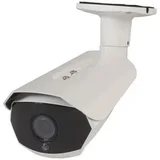
Starlight Security Camera Techview QC-8678 – Purchased in September 2020 to add to my security system as per my other reviews. Easy to install and set up with an established system which is done… Read more
using an ipad or phone from the camera position, so NO climbing up and down ladders to view the settings. The starlight technology is good. You can google this and read up on it yourself. (Techview 1080P starlight Bullet Camera)

Logitech Circle View Camera
- Price (RRP) $279.95
- Camera Resolution1080p (Full HD)
Great camera for Apple HomeKit users – If you are an existing user of Apple HomeKit compatible smart products I strongly recommend this option for security cameras. If you are not I… Read more
suggest you scroll on as you need the following for this camera: - iCloud storage - Apple Hub (Apple TV or iPad) - Apple HomeKit set up
Our home is set up with Smart HomeKit compatible products so it was a breeze to set up. If you are still reading- this is an excellent product. The camera quality is high both day and night (black&white@ night). Sensors are excellent and hardware is high quality. Annoyingly has a white cable with a black camera? Honestly that is my only gripe.
All our cameras are outdoors - I have four other security cameras compatible with Foscam or Cammy software. The Circle View is far superior in view & build quality and general ease of use. It is a fish bowl style lense (see pic) and the tilt function makes it easy to mount. Sound quality is excellent.
It’s early days, I have had running for 3 weeks. We live in the tropics and have found our security cameras fail after about 2 years. The ongoing heat seems to impact them. Will advise if the CV needs replacing. Only time will tell.
Highly recommend for existing HomeKit peeps. Bought mine online through the Apple store.
I’m back. Two Logitech Circles are brilliant. It’s been a few months now. We went away and it worked perfectly watching from afar. We even had a criminal apprehended based on footage! Sound is amazing. We can hear conversations. Picks up packages, people and vehicles if you choose. So happy with this purchase. Thanks Logitech and Apple!

I wanted a surveillance system that didn't require a cloud subscription nor any intricate setup. This NVR was extremely easy to set up, I got two… Read more
outdoor cameras, a smart doorbell and a wifi chime with it, and my 1TB hard drive can store up to 6 days of footage. You can also set it up to record only events detected by the cameras. It archives videos to my Google Drive account automatically. I can access my system from anywhere (phone or computer) and this is all included without any monthly fees.
The whole set up is done using PoE cables which handles both power and data.
From the moment someone presses the button on my doorbell to me getting a notification on my phone it takes less than 2 seconds, it's incredible. Pretty smooth audio and video.
It's also very straightforward to invite people to your system and manage permissions.
The NVR itself was 350AUD and the whole system 1100AUD (bought from the EU store).
Now we can watch cats and dogs passing by *-*

Unsurpassed build quality, completely German made – Price: Compared to some of the Chinese made CCTV systems on the bay, it is difficult for most people to justify the cost of Mobotix products (given… Read more
that Mobotix is from first inspection, 3+ times the cost). There are varying versions of the same products, with varying amount of features and capabilities.The Allround is probably one of the more basic cameras from Mobotix, with only a single removable lens system. In Australia, as always Mobotix suffers from the usual Australian mark-up. At the time of writing, this model is $1,469.00, compared ~300-400 for a no name Chinese CCTV camera.
Build:
Everything is made in Germany. Mobotix refuse to compromise quality. Each camera is provided a unique serial number, and similar to Apple's warranty service, each warranty is linked directly to the serial, rather than the customer. All cameras sold by Mobotix are at least made out of a Poly- butyleneterephtalate with 30% fiberglass, and it is extremely strong, light and durable - you will definitely not find anything else like this. The camera, once setup, contains no moving parts. By default, this camera is vandal proof. The lens is also made in Germany, but the aperture of all their lenses are limited to F2.0, which is reasonable for night imagery.
Features:
Pretty much any feature available in the CCTv market, is available from MObotix. There are no features, which I have found are not available. Mobotix doesn't only match the market, but is the (if not, a) market leader in CCTV feature set. Mobotix cameras work on Power Over Ethernet (PoE) and consume no more than your usual CFL bulb.
Software:
All software packages are freely available via Mobotix's website. Their camera's standalone, and do not require any additional PCs to be online during its daily operation.
Last comments:
I could go on and on about these cameras, but the price is a difficult to justify for the home user. Though, the nature and design and implementation of Mobotix CCTV systems ensure their systems are relatively future proof, and comply to technological standards. Mobotix have also been installed in federal government CCTV. Reliable, energy efficient Expensive, all after sales service is provided by/via distributors.

Excellent buy!...good performance for the price – I was not sure if this small unit could do what I wanted. I needed to install this downstairs in the back of my garage. I estimate that i can get a… Read more
good signal to watch and hear at around 70-80 meters away from it (yes i live in a fairly big house..;)...). I had some problems with bad image and interference in the beginning, but as soon as i changed the transmission channel to another one, problem solved...bottom line for the price and size, i believe it is and excelent buy. Inexpensive, small, good image Batteries of the terminal run out quick

Eufy Floodlight Camera E340
- Camera Resolution1728p (3K QHD)
Have had a very bad experience. Bought new camera off Amazon. Installed and worked well. Was very impressed Was considering a second one, then....the… Read more
camera head did a 180degress turn and stayed there. Panning via the app was not possible and you could hear gear grating sounds.
So...called Eify support and the fun started right away. Gave them everything they asked for - serial numbers, Amazon invoice, photos and videos of when it worked properly and how it is not working now....
This took 3-4 days of ping- pong - back and forward. They were playing games.
Finally Eufy advised me that it is not their camera and they did not sell it to me, and they cannot find any sales to Amazon, so...I must take up the matter with Amazon. That took 4 days!!
Amazon were courteous and quite good. Told me to hang ten, and in 2 days they would send me the necessary paperwork to return the product for a credit. Whne I asked about thge proce differenc - ie it now cost over $100 ore...they said they would cover it.
So I waited, and waited - nothing. Made contact again and essentially requested prompt action else i would take them and Anker (eufy supplier) to OFT. To their credit they passed a credit to my account with an hour and again confirmed to refund me any prove difference if/when I buy a new one.
So I have decided not to but another Eufy or Anker product, and never will. They can essentially go to hell with their bad attitude and money grab. They are quite despicable.
I do wish the OFT & Dept of Justice (if you can call it that) would properly support all their tough words they put on their web with some action. Its all hot air. They are also game players..... .
In the next 2 years I plan to replace my entire security at home with another product ( currently investigating)
Sad word we now live in with impotent gov depts sitting on their hands...

Ring Pan-Tilt Indoor Camera
- Price (RRP) $99
- Camera Resolution1080p (Full HD)
If you're in the Ring "ecosystem", these are a nice option for an indoor camera. The field of view is 115 degrees horizontal, then you can move it to… Read more
cover the full 360 degrees. You can set it up so the "home" position covers the main area you want to see, than you can rotate to see other things "behind" it. Note that it's powered (a wall plug and a 3m USB-C cord.) It can mount on the wall, ceiling, or a flat surface. Couple points:
- The movement is not completely smooth, it goes in small steps.
- The wall mount is not well designed, because it tilts the camera down. I suppose the reasoning is that you usually want to point the camera down, but this is dumb because the camera tilts anyway! The *problem* is that when you rotate a wall-mounted camera, the vertical angle of view changes. [Update: over time, I've come to dislike this a lot so deducted a star.]
Obviously there are privacy issues to consider with indoor cameras. I don't think I'd put one in my own actual living area but for a workshop, office, vacant rental etc., brilliant for keeping an eye on things.
Like everything from Ring, they go on sale periodically, I paid $69 at Bunnings.

Concord CNK4242WPA-A
Very limited range, self install lots of work – PLEASE HELP The main point of this review is to find out if there is a way of using an range extender with this product. I have positioned the four… Read more
cameras around the periphery of our house. They all toggle on and off periodically. It would be good to have a steady signal from them. When we initially used the cameras this didn't manifest. I actually took the cameras to the extremes of our property and plugged them in even further away and found that they still worked. I have put the cameras on their own power sources with UPS which was quite a lot of extra cost and work. I have purchased a TP-Lin Wifi range extender (TL-WA855RE) but very confused now as to how to get that to work in conjunction. Things I have found is that the NVR needs to be cabled into your router/modem. After I did this, all the features worked nicely to (1) allow mobile access to images which was great (2) self-updated the NVR software.

Just dishonest – Did not read reviews first should have known better I've written enough. Had to upgrade a damaged NVR purchased in 2016. Accidentally ordered wrong… Read more
part. $160 Sannce REFUSE to exchange it for the correct part insisting I buy new cameras. Absolutely AVOID any contact with this dishonest company that deprives the ATO of revenue and ignores ACCC consumer rights.

Update. Finally involved PayPal. Laid out all the emails from Saance. PayPay arranged a full… Read more

- Price (RRP) $1,499.95
- Camera Resolution2160p (4K Ultra HD)
One will TRY and keep this review as short as possible, so bear with me. ....H I S T O R Y .... My 5 year old 5mp SWANN DVR8-4980 (see my review… Read more
in here) bit the dust 4 days ago, the system did not pick up the Toshiba hard drive! Not that Toshiba hard drives have a good name anyways! A sad loss, had great features, and will be sadly missed, GIVEN IT'S REPLACEMENT described in some detail below.
In keeping with being a loyal Swann customer, within the hour, I purchased a Swann 8 Camera 16 Channel SWANN AdvancedX Model NVR-16ADVANX system online on Saturday, Jaycar delivered it the next day, they set it all up, and one learned this SWANN AdvancedX Model NVR-16ADVANX system relies on its in built LED spotlights, It has NO "PIR" function. One must rely on either "human and vehicle detection" mode or "Motion" mode. They are your two BASIC choices.
WHAT HAPPENED TO SWANNs "PIR AND MOTION" MODE USED IN YOUR OTHER SYSTEMS SWANN!?
Nothing "ADVANCED" here, more like a manafacturing penny pinching cost cutting CUTBACK! This is a very BASIC system with skeleton features NOTHING "advanced" about it.
Here comes the fun part!
The spotlights on the Swann AdvancedX Model NVR-16ADVANX only work in the "Human and Vehicle detection" mode, meaning in "Detection" mode, the best mode for detecting and recording PEOPLE, hence, PROWLERS and perps, the built in spotlights WILL NOT WORK, will not light them up. May make sense within the Swann executiv branch, but makes no sense to those of us living in the real world outside SWANN developers in their "la-la land"! See pic below.
SWANNs AdvancedX Model NVR-16ADVANX Spotlights work in the "HUMAN AND VEHICLE DETECTION" mode, which human motion detection range does not pick up humans nearly as well as it does having it set in the "MOTION" mode, and in "motion" mode with sensitivity set on 8 (the highest setting), the cameras pick up people as soon as they enter the cameras coverage area. NO PROBLEMS in the "motion" mode, cameras work extremely well, picking up PEOPLE with ease.
Problem being the Swann AdvancedX Model NVR-16ADVANX having no PIR like their other products, higher settings in the "MOTION" mode picks up insects flying around and raindrops too, especially at night.
And why have this "HUMAN AND VEHICLE DETECTION" mode? People buy these systems to protect their homes mainly, and burglers dont park their cars in peoples driveways!
And, even with a 6k 12mp system if they are st^pid enough to park on the road close by, your cameras wont properly read numberplates at that distance anyway, and without clarity, without being able to read the numberplate, that footage cannot be used as evidence in court.
Cameras work fine for motionless cars parked close to the cameras in the driveway, but not in the street, and definately not while they are in motion. If the car is MOVING going by on the street you have BUCKLEYS getting the rego. So what is the use of having this "HUMAN AND VEHICLE DETECTION" Swann?
WHAT IS THE POINT?
Perpetrator vehicles are not driving around people's yards!!
Even in my weakened state, desperate to get the systems up and running to protect the property in case I end up in hospital (again) and with flooding rain expected in Townsville over the coming days, I have been "friggin in the riggin" something chronic trying to get the best settings for the "HUMAN AND VEHICLE DETECTION" mode before the rains come, or the HDD will fill up picking up thr rain if one was to keep it in the "ALARM" "DETECTION SETTINGS".
Please see the photo below depicting the best settings I have found for the Swann AdvancedX Model NVR-16ADVANX so far for maximum HUMAN pick up. I hope this helps SOMEONE out there that chooses to use the "HUMAN AND VEHICLE DETECTION" mode rather than the "MOTION" mode. Depends on how much HDD space you are willing to use.
Even with these settings, cameras will pick up cars and people sometimes, and NOT other times, especially at night or when it's raining. "HUMAN AND VEHICLE DETECTION" Settings too high, rain sets cameras off, settings too low adjusting for rain, cameras don't pick up people. An awkward balance!
After 3 weeks (as at 8/01 /2026), one is still grappling with these detection settings trying to get them right!
Lets simplify what these pixel "MINIMUM" and "MAXIMUM" settings mean, to save YOU the time and frustration I went through with these.
For the Swann AdvancedX Model NVR-16ADVANX the settings for "Min Pixel" and "Max Pixel" in Swann systems relate to motion detection sensitivity based on the object SIZE, not the overall camera resolution. These settings help reduce false alarms by defining the acceptable on-screen image size for an object to trigger a recording event.
Understanding Min Pixel and Max Pixel for the Swann AdvancedX Model NVR-16ADVANX
MINIMUM PIXEL: This is the smallest on-screen image size an object must appear to be in order to trigger motion detection. Objects smaller than this threshold (e.g., a huge truck far away, a distant tree swaying) will not trigger a recording.
MAXIMUM PIXEL: This is the largest on-screen image size an object can be and still trigger motion detection. This is designed to prevent false triggers from very large, close objects that might be irrelevant, such as a tiny bug flying right in front of the lens appearing as a massive shape on screen. The pixel values you set are relative to the camera's view, not the real-life size of the object.
One also found out these SWANN NVR-16ADVANX camera spotlights are WORKING DURING THE DAY! This is because this very basic system does not have the capability to distinguish between DAY and NIGHT!
And whilst one is on the subject of the spotlight on these cameras, it is soooo annoying, infuriating, that one must continually go back into the "RECORD" - "DETECTION" - "DETERENT" settings to keep turning on these spotlights!!!! It's like the sub-standard gizzards in the console keeps losing its memory with these settings or something! The spotlight on camera facing the back door has NEVER worked! See pic below of settings screen.
Every time I change settings within the "Alarm", "DETERENT", "SETUP" section, the light settings which boxes I have ticked, UNTICK, and the duration one had set on 30 seconds revert back to 60 seconds, REALLY "TICKS" ME OFF SWANN!
This model SWANN AdvancedX NVR-16ADVANX is fairly BASIC and it looks like SWANN is not really interested in updating the AdvancedX Model NVR-16ADVANX firmware too soon, judging by the comments of Technical Support this morning, even knowing it has forgotten to add features found in their older systems. I told the lady, that it needs to include the spotlight function in the "motion" mode because CARS do not zoom around people's back yards or gardens, the spotlights are needed to detect PEOPLE and PEOPLE ONLY, people are prosecuted for trespass NOT CARS! COMMON SENSE.
The SWANN AdvancedX NVR-16ADVANX refresh rate needs to be increased as well. This has not been addressed by Swann since Methuselah was in diapers. With all due respect Swann, get with the times. I feel this is because of what appears to be a sub-standard procesor, which I will explain further down.
The Swann AdvancedX Model NVR-16ADVANX has very basic camera screen viewing layout as well, (Bottom left hand corner) no custom layout with this model, unlike the 5 year old 5mp SWANN DVR8-4980 where you had the feature in the live camera viewing layout, having smaller camera viewing visuals around a large camera visual for viewing emphasizing the main area of interest, the main area you want to focus on and keep an eye on. See photo below showing exactly what I mean.
Also unlike my 5 year old 5mp SWANN DVR8-4980, you cannot hold left button down to move left and right or up and down when in full screen zooms? You now have a zoom square in which to control the zoom function using the mouse wheel whilst specifically in the area you want to zoom in on, you can no longer follow like with older models.
The zoom function in the recording playback on the Swann AdvancedX Model NVR-16ADVANX is nowhere as large in maximum zoom as it is in live view? Whilst on recording, in the "SEARCH" mode, once you have found what you need to transfer to a USB in other Swann systems you pause the play at the beginning and hit the SCISSORS icon then the file, but on this crazy Swann AdvancedX Model NVR-16ADVANX system, you pause the play and the scissors FADE OUT! You cannot hit the dim icon, IT WONT WORK!
Will only work whilst the recorded footage is playing, and by the time you go through the procedure, up to 5 seconds of evidence is LOST. And if you need that 5 seconds for evidence, well......
In the zoom mode, you zoom in on an object in LIVE VIEW (not playback) the whole scene veers to the right, on all cameras! See the video here on YouTube.
https://youtu.be/Xe6M4kwRNIM
*** Now I'll get into the "SEARCH" function. This is the function that lets you see what the console recorded, and what you NEED to transfer evidence footage from the console to a USB Why, WHY have Swann removed a function it has had on its other models for YEARS?!
One refers to the amount of cameras (preview boxes) you can tick to add to main timeline onscreen at one time. Please see photo below.
In the older set top consoles, namely my SWANN DVR8-4980 that just met it's maker, you could click several boxes at once, even have all 8 camera preview boxes up on the screen with the timeline below so you can watch the trespasser go from one camera small preview screen to the other, EASY, easy for recording, easy for double clicking and watching in full screen view!
NOW, you can only click ONE box at a time for full screen view of ONE CAMERA, on a big screen, rather than seeing all ticked box screens at once.and have to go through the annoying time consuming rig-ma-roll of going back unclicking the previous square, so you can click the new square to watch the trespasser enter next camera, and so on.
Now one will explain my comment above relating to the consoles processor.
In My 5 year old 5mp SWANN DVR8-4980 one replaced with this Swann AdvancedX Model NVR-16ADVANCEDX, whilst in the "SEARCH" function, one could click on the the area of the timeline one wanted to view, the response was INSTANT and with only ONE CLICK of the mouse. Now with this newer Swann AdvancedX Model NVR-16ADVANCEDX not only do you have to click several times to get to where you need going forward, its even WORSE when you have to go back in the timeline!! I thought it was the mouse, but after trying SEVERAL mice, gound IT WAS NOT. Its the processing power.
A REAL PAIN SWANN!
WHY DO THI$?
Something else YouTube professional review influencers neglect to tell you!
Swann needs to rename this from SWANN AdvancedX NVR-16ADVANX to BASICX.
As usual, In keeping this review of the Swann AdvancedX Model NVR-16ADVANX fair and balanced, one must add that the crisp picture quality is true to a hard wired 4k CCTV system one expects, and with the recording "MAINSTREAM" bitrate set to 8192 in the "RECORD" settings, the playback quality is clear and crisp, perfect for submitting as evidence which at the end of the day is the whole reason of having a security system!
One will explain the benefits of using the highest bitrate for recording on this this Swann AdvancedX Model NVR-16ADVANX, especially in 4K.
In camera settings "RECORD" settings "MAINSTREAM" and SUBSTREAM" bitrate controls the video quality vs. the file size/bandwidth, acting as the data flow rate (bits per second) for video; a HIGHER bitrate means more data, resulting in clearer, more detailed CLEARER footage but uses more storage/bandwidth, while a LOWER bitrate saves space but can lead to pixelation or blurriness, requiring you to balance quality with recording time and network usage for main/sub-streams.
IN A NUTHELL, for Best Quality: Set a high bitrate (default is usually good) for mainstream recording. Higher bitrate setting is best for presenting in Court.
Mine is set at 8192 bitrate and 3840 x 2160 Resolution in "MAINSTREAM" and 4096 bitrate and 1280 x 720 Resolution in "SUBSTREAM". THEY WORK REALLY WELL! I use SONY 4k 86' and 75' HDR BRAVIAs as monitors for both my Swann AdvancedX Model NVR-16ADVANX and Swann MaxRanger systems. The resolution in the live view is beyond GREAT!
In the "MAINSTREAM" SETTINGS IN THE "RECORD" MENU, I have set "CBR" in stead of ""VBR".
This is why...
CBR (Constant Bitrate) uses a fixed data rate, good for predictable bandwidth but can waste data or pixelate in complex scenes; VBR (Variable Bitrate) intelligently adjusts data flow, using more for detailed/moving scenes and less for static ones, resulting in better quality/smaller files but less predictable bandwidth. VBR is usually better for storage and quality, while CBR offers consistent bandwidth, ideal for live streaming.
Also, even with the highest detection settings in the "HUMAN AND VEHICLE DETECTION" mode, this system filters out light and moderate rain, something the "MOTION" mode does not do especially lacking the PIR feature.. This is a good thing too! Could be better with a PIR function though.
The console is very solid in construction and has some weight to it, very well made, and NOT plastic, a rarity for what comes out of China, and being of metal construction has its benefits too! One was surprised.
Another plus is the Swann AdvancedX Model NVR-16ADVANX cameras. They are solid and seemingly well-constructed, appear to keep out unwanted rainwater, a big thing locals consider when purchasing ANYTHING outdoor in Townsville.
The ethernet cables are the bees' knees too, making installation so easy I was told. They have waterproofing connectors for where they connect to the cameras too, I am told. Best thing, they are readily available in several lengths, and I will be replacing them every 6 months as 4 of mine are OUTSIDE on the roof which made it easier CHEAPER and quicker for them to install the system.
And something else Swann could look at as an accessory, selling HEAVY DUTY weather resistant ethernet cables starting at 20 meters.
Not only would you have SWANN customers buying them, but others too! A durable cable people can just throw on a tinned or tiled roof to connect console to camera for quick easy installation.
Great for people who want temporary (or permanent) camera installation without having to drill holes or climb in a ceiling etc.
That is what one would call CONVENIENCE and add a degree of simplicity to installation hassels for many, THINK ABOUT IT.
And,
WHEN THEY WORK and the system does not FORGET the settings to KEEP THEM ON, the spotlights are certainly bright enough to do the job too, it is a much-needed feature! THEY ARE GREAT! A feature that UNFORTUNATELY only works in the "HUMAN AND VEHICLE DETECTION" mode.
My God Swann, this could be a great system if you guys implemented common sense in a future firmware/software upgrade, if they ever do one. Time will tell... Also, if Swann introduced WIRELESS mouses/mice as part of their systems it would leave competitors for dead! Fancy including a mouse with a very short tail... They are so cheap these days too. Something for Swann to think about.
=====UPDATE===== One has just purchased an OPTUS modem and to my surprise, when I plugged in the ethernet LAN cable from console to modem, the Swann AdvancedX Model NVR-16ADVANX picked up the the network IP, Subnet mask and Gateway without me having to sweat over it! One simply downloaded the app and am using the FREE VERSION to access cameras on mobile and tablet, tablet being preferred choice for larger viewing screen. Still trying to work out how to add the Swann MaxRanger...
Don't forget to add your Email details in "EMAIL CONFIGURATION" and VERIFY, very important step!
Anyways, with all the above being said,
What has happened to SWANN? It saddens me greatly, a once trusted reliable quality brand producing a product like THIS, cutting back on features to maximize profits, yet producing a fantastic, and I mean FANTASTIC product like their MaxRanger?
I bought my first swann "do it yourself" system just after the Sydney Olympics, and now, sadly I announce that this may be the last Swan system I will ever waste my time on. I'm not a spring chicken any more, I dont have the time or energy to waste.
By skimping on quality and features, features Swann have had for many years, the company has literally "lost the plot", with a Corporate American styled emphasis based mainly on cutting back on quality and features to increase their bottom line, sorry, but that's the TRUTH from someone who has stuck with swann for all this time.
THIS IS HOW I SEE IT.
You wanna compare "beauty and the beast", see my review in here for Swann MaxRanger, an EXCELLENT product, makes you wanna cry!
++UPDATE 31 JANUARY 2026++
Incredible!
If you have the Swann AdvancedX detection settings on "HUMAN AND VEHICLE DETECTION" you cannot disable (untick) "PICTURE TO CLOUD" "or "VIDEO TO CLOUD" settings! They are preset, and all your footage is being uploaded to SWANN cloud, nothing we can do to stop it unless we set detection settings to "MOTION".
The ticked boxes in "DETECTION" "ACTIONS" are in grey, and boxes cannot be unticked, yet in "motion" mode, the four squares below (depicted in photos in ones review on Swann) ARE unticked because those four cameras are in "MOTION" mode. YOU CAN UNTICK THEM!
Even in "DEVICE" "CLOUD STORAGE" settings, there is no way of stopping my images or videos being sent to Swann cloud! One spent ages trying to communicate with a Swann tech support (expert) lady yesterday evening, and we went through "processes" trying to disable to UNTICK these pre set settings stealing my data, at a rate of, so far, 400 gig a week!
SHE COULD NOT HELP ME....
In fact, the other "expert" she had online never even got back to her in the 15 minutes we were on the phone!
These people should know everything about the products they sell, THEY DON'T!
And one is using MOBILE DATA! THIS IS A DISGRACE!
I will keep you updated a I learn more,
THERE IS MORE TO COME!

Hi Peter, thank you for taking the time to share… Read more

Reolink Argus PT
Good solar and almost every 2nd cars recorded but not for the human only recording 2 metres from the camera (if you are hurry record you but … Read more
Unrecognisable) or when someone going out from home this camera record humans only backside... The first security camera has built in criminal rights.

Ring Floodlight Cam Pro 2nd Gen
- Camera Resolution2160p (4K Ultra HD)

Eufy Indoor Cam E30 T8417T21
- Price (RRP) $199.95
- Camera Resolution2160p (4K Ultra HD)

Laxihub W2 Kit1
- Camera Resolution720p (HD)

Reolink E321

Eufy Security eufyCam E330
- Price (RRP) $299.95
- Camera Resolution2160p (4K Ultra HD)
I purchased five EUFY S330 solar cameras. The solar panels in 2 of the camera have failed, and a 3rd is now barely charging. To me clearly a design… Read more
defect, as they cant handle the Australian sun intensity. So, a solar camera that fails if placed in the sun after a few years is not fit-for-purpose. EUFY Australia (Directed Electronics) denied a support claim because they held firm it was outside the warranty period. $379 for each camera, which die. Do not buy as they do not last.

Reolink RLC-511W
Poor features – I purchased this camera with the hope it would pass the poor night time vision of other cameras I have tried in the past. While the 5mp vision is… Read more
very good in daylight the night time vision is poor. Anything further away than 6 meters the figure is not identifiable. The sensitivity is annoying as the slightest movement even when the sensitivity is set to below half it picks up the slightest movement from a leaf on a shrub. Regardless of what I do the unit will not send email alerts to my email address. There is no fine tuning this camera unlike some of the cheaper models of different brands such as Human shape detection, and of course remote rotation of the view. Overall I'm most disappointed in this model considering it is twice the price of another brand I have but no where twice the quality. I am convinced that if you want a security camera to operate well during the night you are better of purchasing a stand alone infared light to compliment the security camera regardless of what brand you buy, the cameras infared is no where good enough.
Hi Michael, To better assist you with the product, please… Read more